Wize Owl · Part of the Owlchemy suite

A farm operating system, from paddock to balance sheet.

Herds, fields, seasons, diesel, the dairy, the stock in the shed and the invoices behind it — recorded where the work happens, with the accounting still in Xero and the SARS numbers ready when the accountant asks.

  • 6 modules — buy the ones the operation works in
  • Xero, both ways — pushed on a schedule, mappings pulled back
  • Web, WhatsApp and the phone — the record is made in the field
  • Built and hosted here — in South Africa, priced in Rand
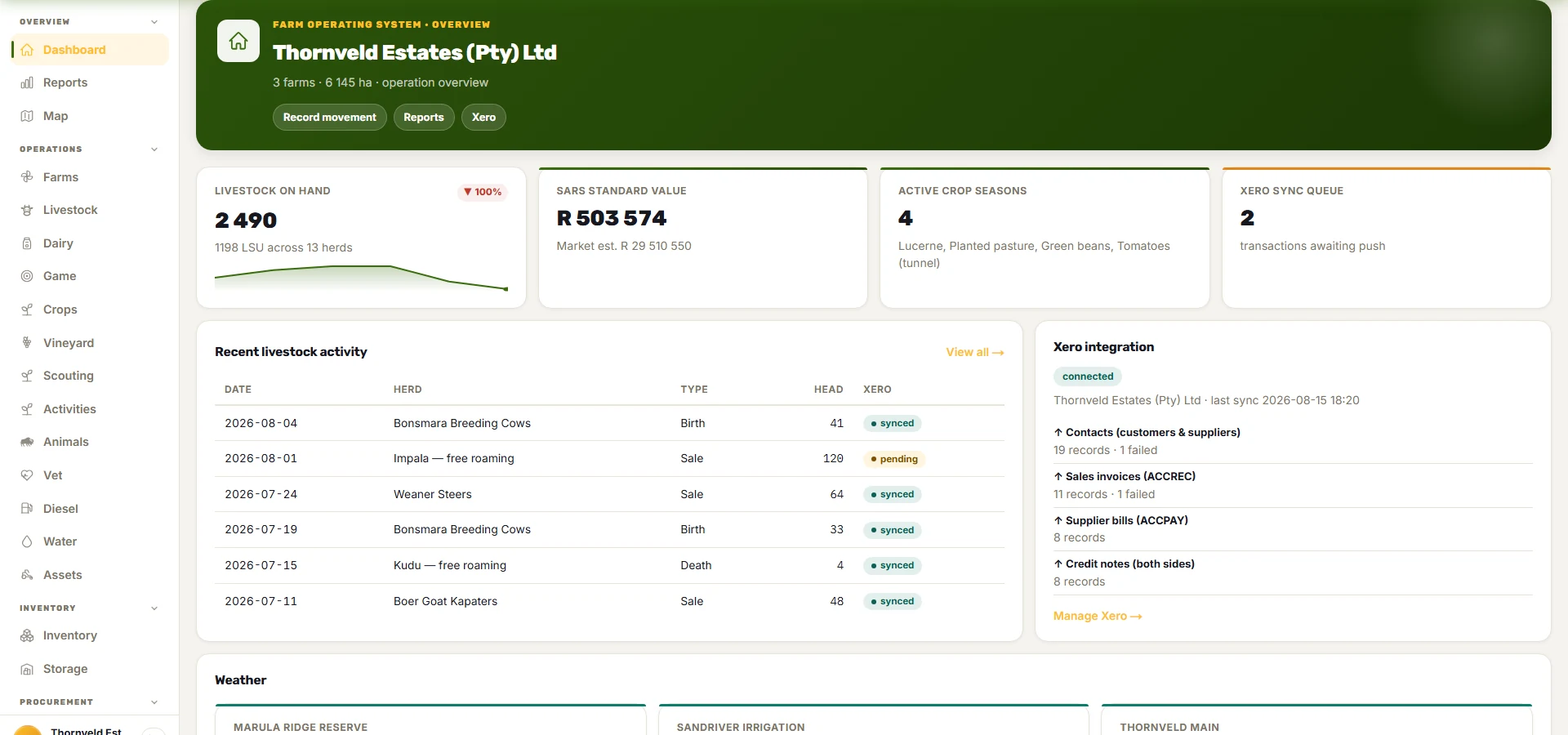
The dashboard: livestock on hand with its SARS standard value, active crop seasons, the Xero sync queue, recent livestock movements with their sync state, the Xero integration panel and the weather per farm.

Why this exists

The record is in the bakkie, the numbers are in the accountant's office

Most farms run on a diesel book, a herd count on a whiteboard, a spray programme in someone's head and a Xero file the bookkeeper sees once a month. Each of those works. The space between them is where the year-end pack and the rebate claim get built by hand, late.

  • The herd count is right on the day it was counted — and wrong by the next week, because births, deaths, sales and moves land in three different places.

  • The diesel rebate is claimed from a logbook — that has to be reconstructed for SARS from fuel slips and memory.

  • The spray programme does not know the withdrawal period — so the harvest date and the pre-harvest interval are checked by a person, or not.

  • The season’s margin is known after the season — when the bookkeeper has posted everything, which is too late to change anything.

On screen

What it looks like on a real farm

Every screen below is the running product on a demonstration estate in the Lowveld — herds, fields, a dairy, a diesel tank and a Xero file — not a mock-up.

Every herd, with the numbers SARS asks for.

  • Herds by species and breed, with the head count, the large-stock units and the camp they are standing in. A movement — a birth, a death, a sale, a transfer — changes the count the moment it is captured, from the web, from WhatsApp or from the phone.
  • The First Schedule herd numbers and the standard values fall out of the movements, so the year-end livestock schedule is a report rather than a reconstruction.
  • Individual animals where they matter: the dairy herd, the stud, the animal under veterinary withdrawal.
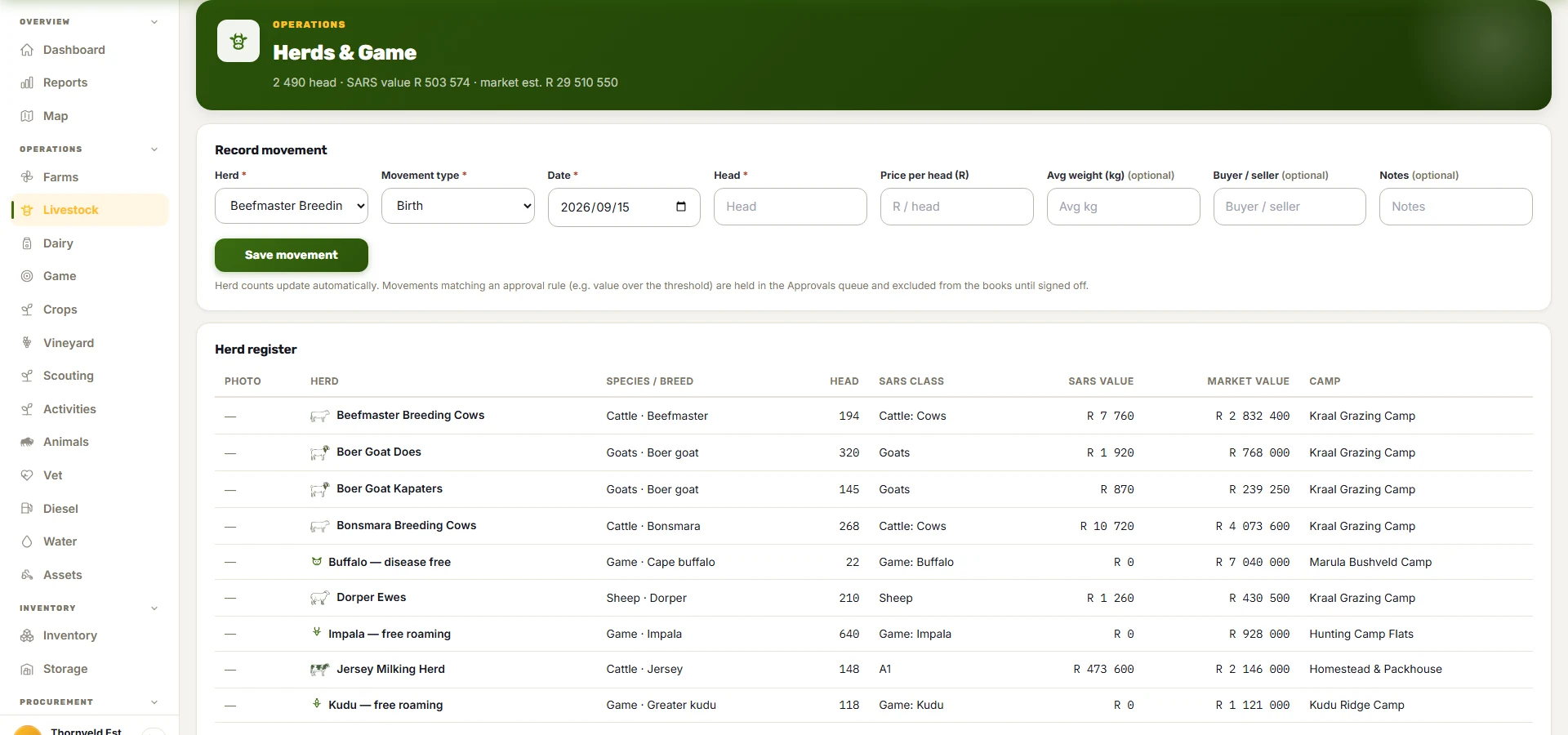
The livestock register: herds by species and breed with head counts, large-stock units, the camp each is in, and the First Schedule opening and closing numbers.

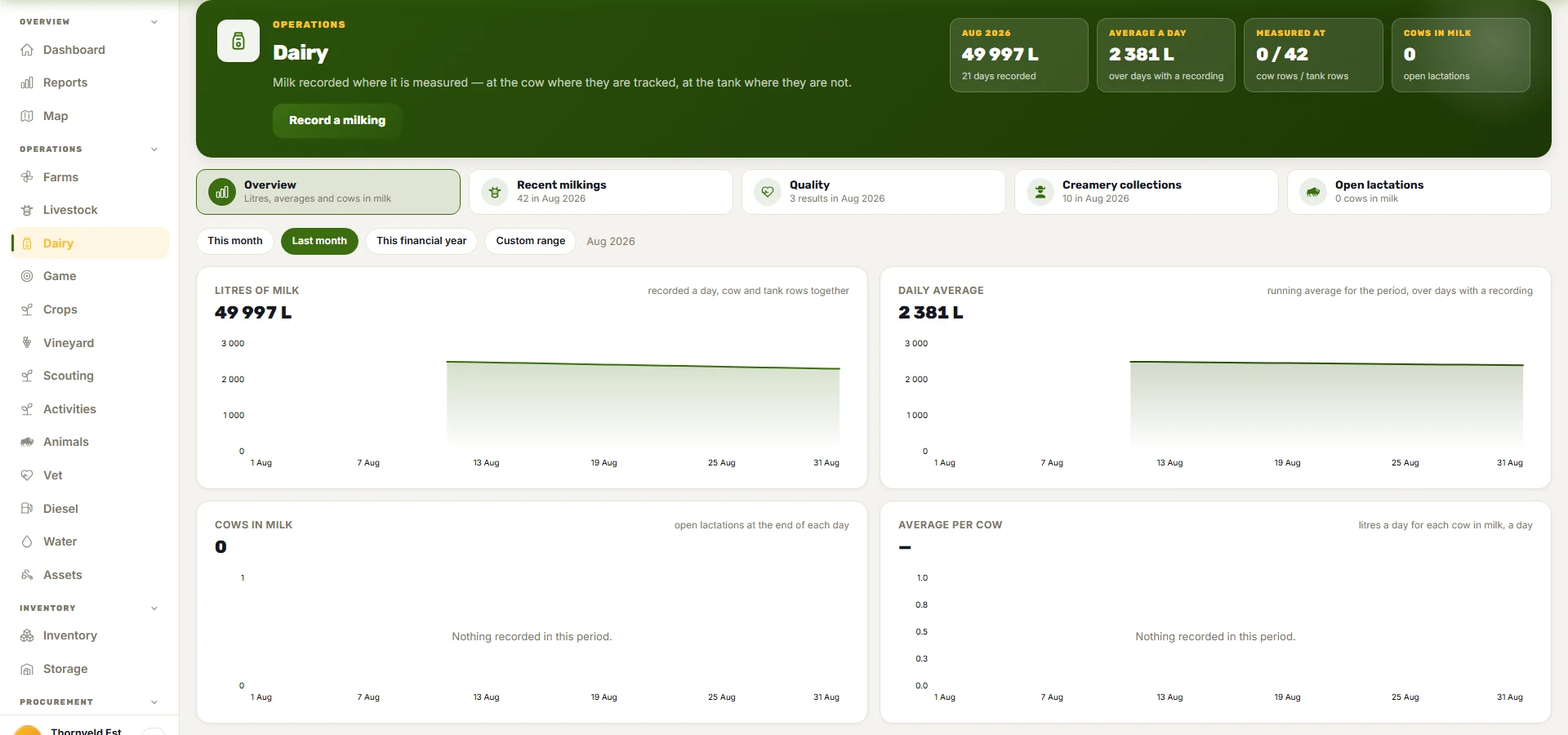
The dairy opens on a dashboard.

  • Litres this month, the daily average, cows in milk and the yield per cow, with the same four as charts over the period you choose — this month, last month, the financial year, or any range.
  • Milkings per cow or per tank, lactations opened by a calving and closed by a dry-off, quality tests and creamery collections, each on a page of its own.
  • The financial year is the farm’s own year end, never the calendar year — the one date every agricultural report is built around.
The dairy dashboard: litres this period, the daily average, cows in milk and the average per cow, with four charts under the header and the recent milkings, quality results and creamery collections behind buttons.

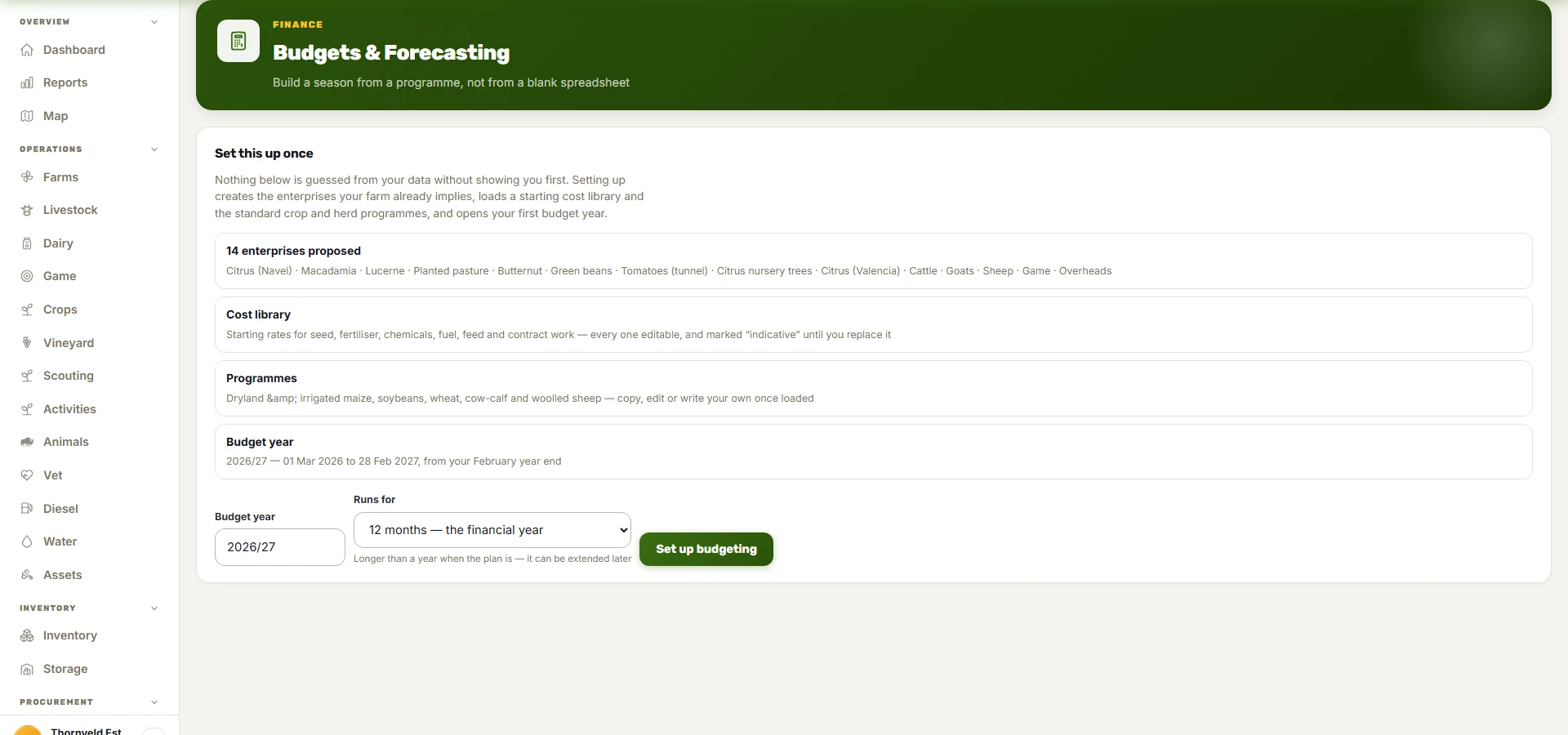
A budget built from a programme, not from a blank spreadsheet.

  • Nothing is guessed from your data without showing you first. Setting up proposes the enterprises your farm already implies — the citrus, the lucerne, the cattle, the game — loads a starting cost library marked indicative until you replace it, and the standard crop and herd programmes to copy, edit or write your own.
  • A budget year from the farm’s own year end, running twelve to thirty-six months when the plan is longer than a year — an orchard being established, a herd being built up — and extended later.
  • Behind every margin, a ledger: each line with its quantity, its rate, where it came from and whether a person has typed over it. Negative figures are bracketed and red, never signed; a nil is a dash, never a zero.
Budgets and forecasting, being set up: fourteen enterprises proposed from the farm's own records, a starting cost library marked indicative until replaced, the standard crop and herd programmes, and a budget year running from the farm's own February year end.

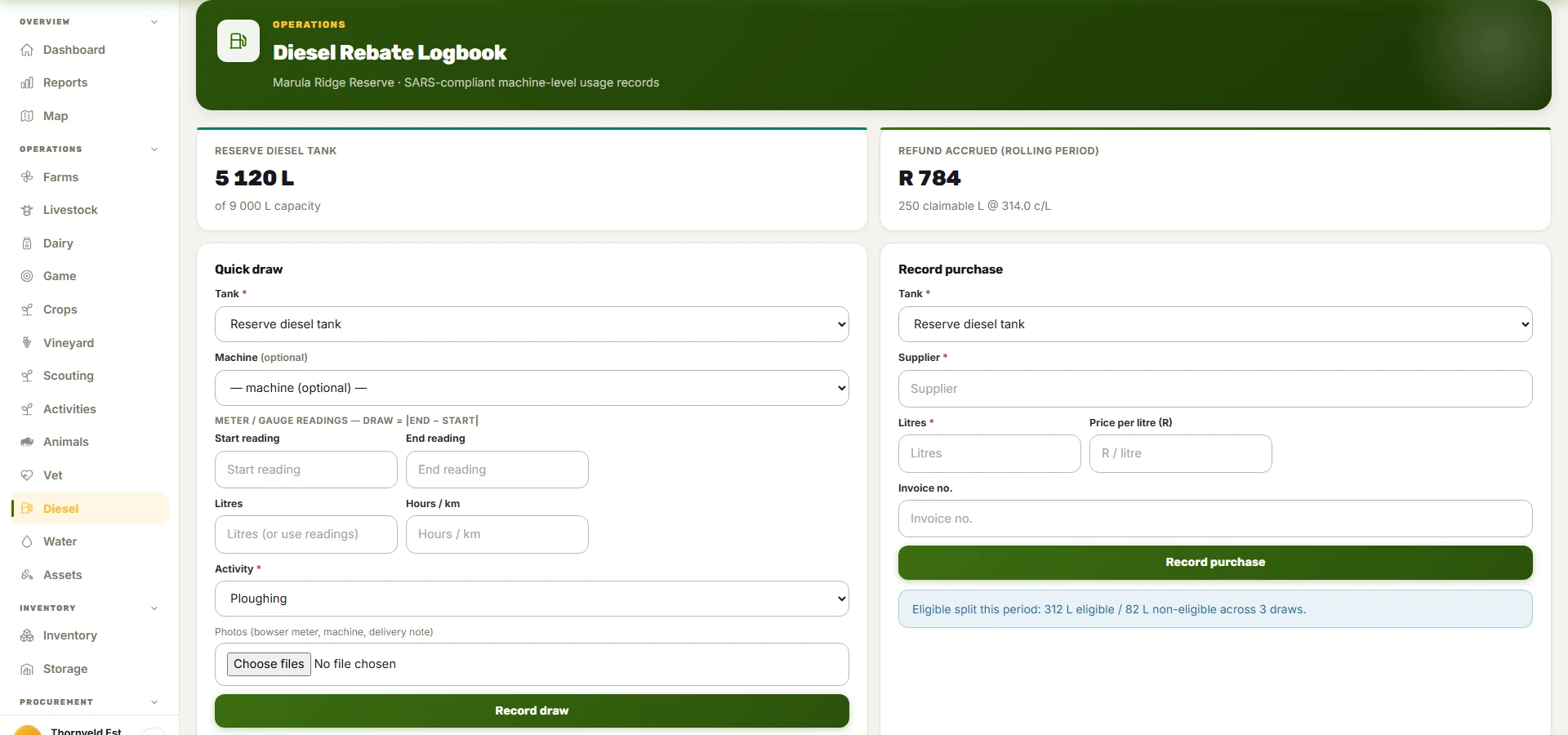
The diesel book that becomes the rebate claim.

  • Every draw against the tank, with the machine it went into, the meter readings before and after, the activity it was for and a photo of the bowser meter — the machine-level record SARS asks for, made at the moment of the draw.
  • Eligible and non-eligible litres split by activity, and the refund accrued at the published rate, so the claim is a report and the logbook is the evidence behind it.
  • The machine is a register entry with its purchase, its wear-and-tear schedule and its running cost, so the diesel is one line of what the tractor costs.
The diesel rebate logbook: the reserve tank's litres against its capacity, the refund accrued for the rolling period with the claimable litres and the cents-per-litre rate, a quick-draw form with the machine, the meter readings, the activity and a photo of the bowser, and the eligible-versus-non-eligible split for the period.

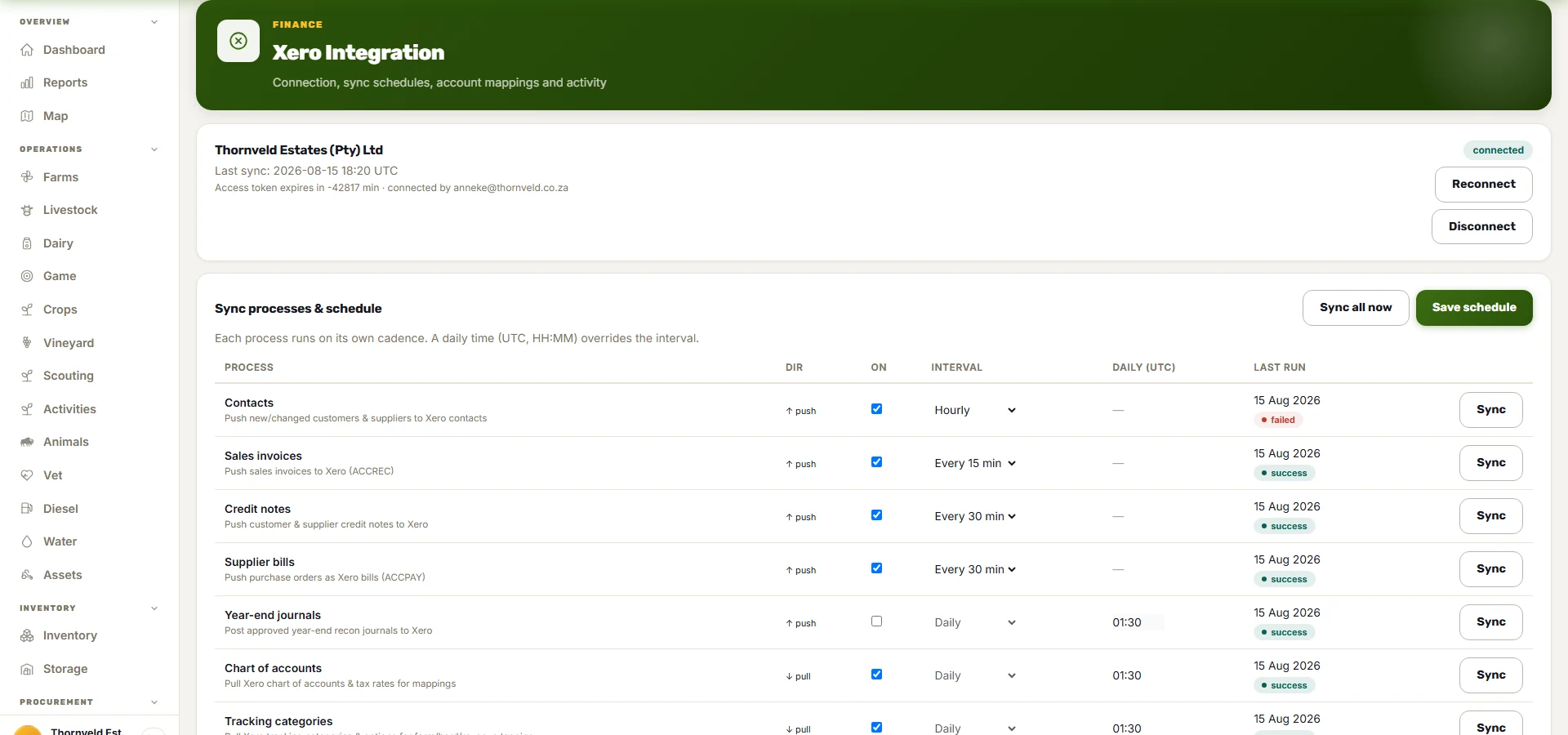
The books stay in Xero. The farm posts to them.

  • Customers and suppliers, sales invoices, supplier bills, credit notes and the approved year-end journals go to your Xero organisation, mapped to your own chart of accounts and tracking categories — per farm, per herd, per revenue line.
  • Each process runs on its own cadence, and each row shows when it last ran and whether it succeeded. A failed push is a red word on the row, not a silent gap found at month-end.
  • The bookkeeper works where they always did. The farm stops re-typing.
The Xero integration screen: the connected organisation and who connected it, then each sync process on its own row — contacts, sales invoices, credit notes, supplier bills, year-end journals pushed; chart of accounts and tracking categories pulled — with its interval, its daily time and the state of its last run.

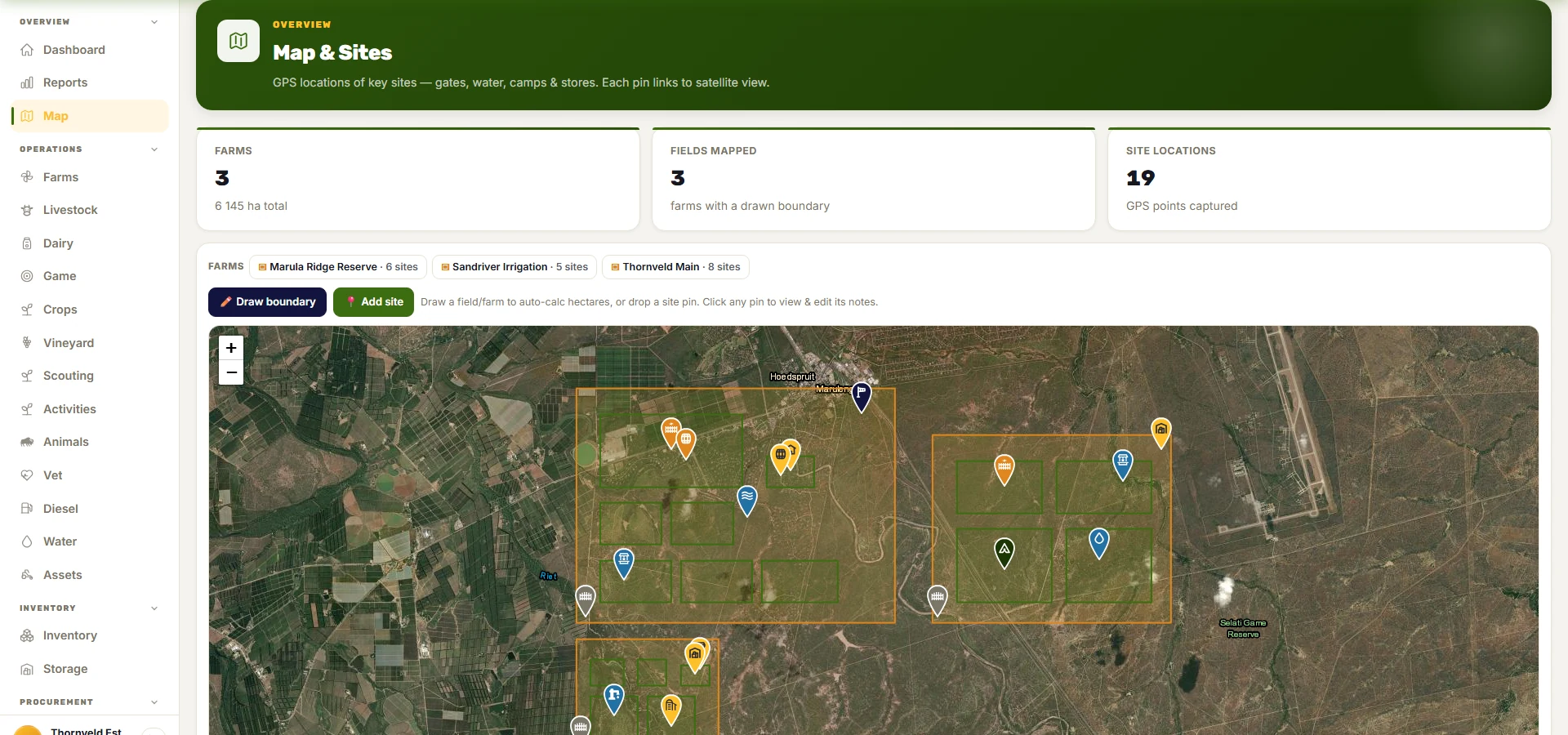
The farm on the map, field by field.

  • Boundaries drawn on satellite imagery or imported, with the sites — the borehole, the dip, the shed, the tank — pinned where they are.
  • A field’s size, its irrigation and what is in it this season, from the same record the budget and the spray programme read.
  • The weather per farm comes from the boundary’s own centroid, so the forecast on the dashboard is for that farm and not the district.
The map: farm and field boundaries over satellite imagery with the sites — boreholes, dips, sheds — pinned, and a strip of farms to jump between.

Packaging

What you get

Every module reads and writes the same farm data, so the herd count, the budget line, the stock movement and the invoice are the same record — not four copies that drift. A plan is a set of modules; a module is a set of screens.

Core (dashboard, reports, farms, assets, notes, settings)

Included in every plan

The farm’s backbone: the register of farms and fields, the machinery register with its SARS write-offs, notes and photos on any record, 227 standard farm activities, pest and notifiable-disease records, reports, the morning dashboard and settings.

Screens: Dashboard · Reports · Farms · Assets · Notes · Settings · Activities · Pests

Add the modules the operation works in

  • Livestock, animals & game

    Run herds and individual tagged animals: births, deaths, sales and moves, the SARS standard value beside the market value, vet treatments and withdrawals, and game counts, hunts and permits.

    Screens: Livestock · Animals · Game · Veterinary

  • Crops

    One season per field: every spray with its Act 36 number and pre-harvest interval, every harvest with its moisture, and the cost per hectare and per ton that follows.

    Screens: Crops

  • Inventory & storage

    What feed, seed, chemicals, fuel and spares are on hand and in which silo, store or tank — what each cost, what is below its reorder level and what is about to expire.

    Screens: Inventory · Storage

  • Trading — procurement & sales

    Buy and sell properly: suppliers, purchase orders, quotes, invoices and credit notes. Receiving and selling move the stock, and every document reaches Xero.

    Screens: Suppliers · Purchase Orders · Supplier Credits · Customers · Quotes · Sales Invoices · Customer Credits

  • Finance & Xero

    Budgets built from your farming plan, the Xero connection, the year-end SARS livestock and spray-compliance pack for your accountant, approval rules, and your Act 36 remedy register.

    Screens: Budgets · Xero · Recons · Approvals · Act 36 Register

  • Field capture add-ons

    Record the work where it happens: WhatsApp messages and voice notes, the offline phone app, the SARS diesel refund logbook and the satellite farm map.

    Screens: WhatsApp · Diesel · Map & Sites · Phone app

  • Ask Owliver — the assistant over your farm data

    Add-on, on any plan

    Ask a question of your own records in plain words and get an answer with the records it came from. It reads; it never changes anything.

Flat per operation. Nobody is counted — the herd manager, the bookkeeper, the foreman with the phone and the vet all sign in under one price.

See the rate card

Built here, for here

The numbers a South African farm is actually asked for

Built in South Africa, hosted in South Africa, priced in Rand. The statutory side is part of the product rather than a spreadsheet beside it — and the app speaks the languages the people on the farm work in.

  • SARS First Schedule herd numbers
  • Diesel rebate logbook
  • Wear-and-tear schedule
  • Act 36 registered remedies
  • Withdrawal periods and PHI
  • Notifiable disease reporting
  • Water use licences
  • VAT at 15%
  • Two-way Xero sync
  • Five languages: English · Afrikaans · isiZulu · Sesotho · Sepedi

Already have an account?

Sign in and you will land in your own operation, on your dashboard. FarmWize is a Wize Owl product on the Owlchemy platform.